
Warm Wishes: Greetings & Cards
good space. Sprüche & Bilder zum VerschickenLifestyle
4.538.00 Reviews
- Version
- 5.15.7
- Installs
- 50.00K
- Age Rating
- Everyone
Screenshots
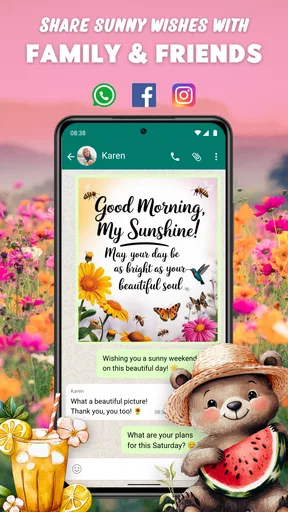
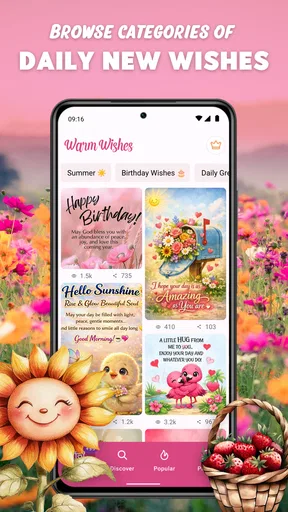
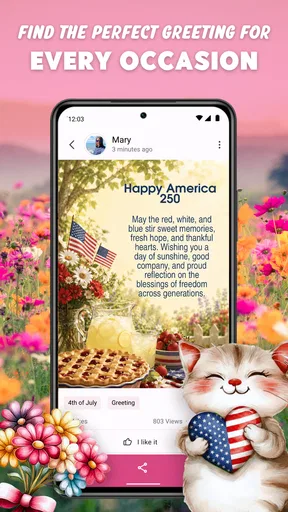
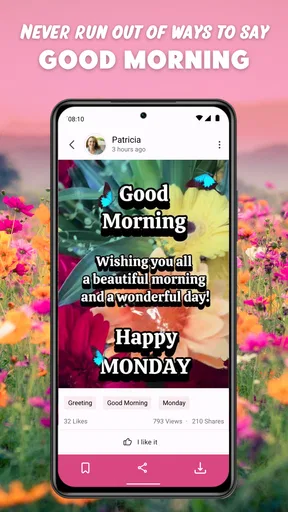
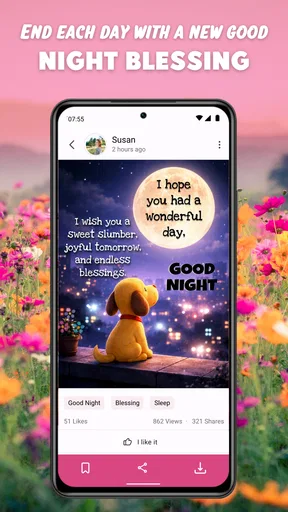
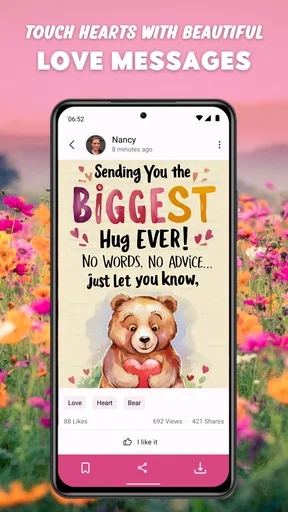
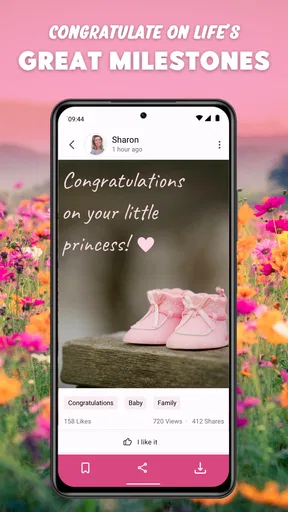
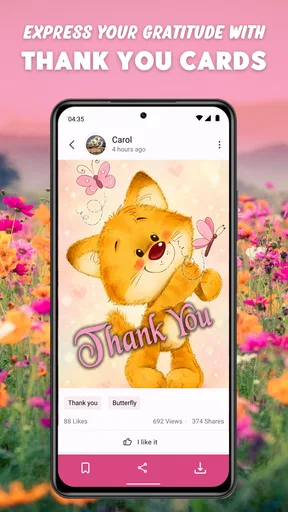
Our Review of Warm Wishes: Greetings & Cards
 Analysis by Appyee
I like apps that solve a small social problem without making me work for it. Warm Wishes: Greetings & Cards is built around that idea: instead of composing a birthday message, love note, or good-night greeting from a blank screen, I can choose a ready-made card and send something visually warmer than a plain line of text. It is a lifestyle app from good space. Sprüche & Bilder zum Verschicken, and its focus is clearly on shareable messages rather than chatting, planning, or managing a personal calendar.
After using it, I see the main appeal immediately. There are moments when I want to contact someone, but I do not have the time, confidence, or inspiration to write the right words. A prepared greeting gives me a starting point and helps me avoid sending the same dry “happy birthday” message I have used too many times. The app is free to install, suitable for Everyone, and has a 4.5 average from around 132 ratings, with over 50K installs. Those figures suggest a modest but real audience rather than a huge social platform, which fits the app’s personal, occasional-use purpose.
How the app feels when I use it for everyday greetings
The first thing I notice about this kind of app is not the number of cards, but how quickly I can get from opening it to finding something appropriate. Warm Wishes: Greetings & Cards is most useful when the occasion is already clear in my head: a birthday, a romantic message, a good-night wish, or another small moment where an image can carry more feeling than a sentence. I do not need a complicated creative workspace. I need to recognize the mood, choose a card, and share it without losing the moment.
That makes it different from a general image editor. In an editor, I would normally search for a background, choose typography, arrange elements, and possibly write everything myself. That flexibility is valuable when I want a very personal design, but it is also exactly what slows me down. This app takes the opposite approach. Its strength is the prepared greeting: less control, but less effort. For a quick message to a relative, partner, friend, or colleague, that trade-off makes sense.
I also prefer this approach to searching the open web for an image. Web searches often return cards with inconsistent quality, awkward wording, unclear reuse rights, or designs that do not feel suitable for the person receiving them. A dedicated greetings app gives the task a clearer boundary. I can browse within the intended context instead of sorting through unrelated pictures and advertisements.
The important distinction is that the app helps with expression, but it does not replace judgment. I still need to choose a card that matches the relationship. A romantic design sent to a casual acquaintance would be uncomfortable, while a very generic birthday card might feel impersonal for someone close to me. The best results come when I use the image as a thoughtful wrapper and add my own short sentence when the sharing workflow allows it.
Speed expectations: quick for a small task, not a full design studio
My expectation for Warm Wishes is simple: it should feel ready when I have a greeting in mind. This is not an app I would open for a long creative session. Its value is measured in the few decisions between opening the app and sending a card. The category-based purpose keeps the experience focused, and that usually feels more efficient than building a greeting from a blank canvas.
There is also a practical speed advantage in having the occasion guide the search. If I am looking for a good-night message, I already know the emotional direction. If I need a birthday greeting, I can judge cards by tone and appearance instead of inventing a concept. This reduces the mental effort that often makes simple messages feel surprisingly difficult.
Still, prepared content can create its own delay. When several cards have a similar style, I may spend more time comparing them than I expected. The fastest choice is not always the most suitable one. I recommend deciding on the recipient and tone before browsing: cheerful, affectionate, sincere, playful, or formal. That small step makes the selection process more deliberate and prevents endless scrolling.
I would not judge the app by the standards of a professional editing tool. A design app can be faster for someone who already has a template saved, while Warm Wishes is more convenient for someone who wants an occasion-specific starting point. In other words, it is fast at removing the blank-page problem, not necessarily at giving complete control over every visual detail.
Heavy-use moments: where convenience matters most
The most useful real-world scenario for me is a busy day with several social obligations. Imagine waking up late and remembering that a family member has a birthday. I may want to send more than a text message, but I do not have time to design anything. A greeting card lets me acknowledge the occasion quickly, and I can add a personal line explaining that I will call later. That feels more considerate than postponing the message until the day is nearly over.
Another good use is a group of small, repeated occasions. During a week with birthdays, anniversaries, travel departures, or friends needing encouragement, I might use the app several times. The benefit is not that every card becomes deeply original; it is that I can keep sending visually distinct messages without writing a new composition from scratch each time. I would still vary the wording around the card so the messages do not feel copied.
Good-night greetings are a different kind of use. They are often sent at the end of the day, when I want something gentle but do not want to start a long conversation. A suitable image can communicate warmth without demanding a detailed reply. The same applies to affectionate messages when the recipient is far away. The card becomes a small ritual rather than a major announcement.
Heavy use also exposes the app’s main limitation: convenience can become repetition. If I rely on ready-made cards for every occasion, the messages may begin to feel interchangeable. My practical solution is to use the card as a visual accent and personalize the surrounding text. Mentioning a shared memory, a plan for the weekend, or one specific quality of the recipient makes a short greeting feel much less automatic.
For people who send many cards in a short period, selection discipline matters. I would shortlist a few appropriate designs first, then choose the one that best matches the recipient. Browsing without a purpose can be tiring, especially when the app is being used as a last-minute tool. The app saves writing time, but it cannot decide what the relationship requires.
Reliability and the small details that affect sending
For a greeting app, reliability is less about complex calculations and more about whether the chosen card remains usable at the final step. I want a straightforward path from selection to sharing, with no need to rebuild the message after I have found the right design. I also want to know what I am sending before I tap the final share option. A quick visual check is worth making, particularly for cards with decorative text that may be harder to read on a smaller screen.
One habit I recommend is preparing the message a little earlier when the occasion matters. Last-minute sending is exactly when a small interruption, a weak connection, or a busy sharing destination becomes frustrating. The app is designed for lightweight communication, but the recipient’s importance should determine how much backup planning I do. For a close family member, I might save the selected card or keep a personal text ready as a fallback.
That fallback is also useful because a card is not the same as a guaranteed conversation. If the message is urgent, sensitive, or requires a reply, I would use direct messaging or a phone call instead. Warm Wishes works best as an expressive layer on top of ordinary communication, not as a replacement for it.
The developer name, good space. Sprüche & Bilder zum Verschicken, makes the app’s purpose clear: it is centered on sayings and images meant to be sent. That focus is reassuring when I want a dedicated greeting experience, but it also tells me what not to expect. I would not install it looking for a broad social network, a diary, a reminder system, or a tool for managing important dates. Its reliability should be judged by how well it supports the sending moment, not by features from unrelated categories.
There is a financial point to keep in mind as well. The app is free, while in-app purchases range from $2.09 to $39.90 per item. That means I can try the basic experience without paying, but I should pay attention to what is included before becoming dependent on a particular premium card or collection. The higher end of that range makes it especially important to treat purchases as optional extras rather than assuming every attractive design is part of the free experience.
Device constraints, compatibility, and resource expectations
The listed minimum operating system is Android 7.1, so the app is aimed at a wide range of Android devices rather than only recent phones. That is helpful for people who keep an older handset, but compatibility is not the same as a modern flagship experience. On an older device, I would be more patient during image loading and avoid judging the app solely by how quickly a newer phone handles visual content.
Greeting cards are image-focused, so the practical resource demand depends on how much browsing and sharing I do. Occasional use should be a lighter workload than repeatedly opening large galleries, switching between apps, and sending several cards in succession. I would not keep the app open in the background without a reason, especially on an older phone where battery and available storage already matter.
A useful workflow on a constrained device is to decide the occasion first, browse with a clear purpose, and share immediately rather than collecting many alternatives. This reduces unnecessary loading and keeps the task simple. If the phone is short on storage, I would also avoid treating the app as a permanent archive for every card I view. The exact card I need is more valuable than a large pile of unused images.
Screen size can affect the experience too. On a compact display, decorative lettering may require a closer look, and a card that appears balanced in a gallery may be less readable when sent. I would inspect the design at the size in which I expect the recipient to see it. This is especially important for older relatives or anyone who reads messages on a small screen.
The current version is 5.15.7, which indicates an actively versioned product rather than a one-off download. I still would not assume that an update automatically solves every device-specific issue. A phone with an older operating system, limited memory, or an unreliable connection may behave differently from a newer model. My recommendation is to test one ordinary greeting before relying on the app for a time-sensitive occasion.
Who will enjoy it, and who should choose something else
I think Warm Wishes is a good fit for people who regularly send affectionate or celebratory messages but do not enjoy designing them. It is particularly suitable for someone who wants a visual greeting in a few moments, prefers browsing ready-made ideas, and is comfortable adding personal meaning through a short accompanying message. It may also suit relatives who are not confident with image editing but still want to send something more expressive than plain text.
It is less suitable for users who want complete authorship. If I need a specific photo, exact wording, custom colors, a business logo, or a carefully controlled layout, I would choose a general design app instead. I would also skip it as my main tool if I need event reminders, contact management, scheduled delivery, or a searchable personal archive. Those needs belong to calendar, messaging, or productivity software.
There is a further emotional trade-off. A ready-made card can be charming, but it can also look generic when the occasion is deeply personal. For a milestone, apology, serious thank-you, or message to someone with a distinctive sense of humor, I would probably write more myself or create a custom image. The app is strongest for everyday warmth, not for every kind of emotional communication.
The Everyone age rating makes it approachable for a broad audience, although the recipient and context should still guide the choice of card. A design that is harmless in a message to a close friend may be unsuitable for a professional contact. The age label describes general accessibility; it does not remove the need for social judgment.
My practical method for getting better results
I get the most from the app when I follow a simple three-step routine. First, I identify the purpose of the message and the relationship with the recipient. Second, I choose a card whose tone matches that relationship rather than selecting the most decorative image. Third, I add one detail that could only come from me: a shared plan, a memory, a personal compliment, or a promise to call.
This method solves a common weakness of greeting-card apps. The image handles atmosphere, while the added sentence handles authenticity. Even a short note such as “I hope your day starts gently” or “I am looking forward to seeing you this weekend” can make the message feel intentional instead of copied.
I also recommend checking the wording before sending. A beautiful design is not useful if its message sounds too formal, too romantic, or too cheerful for the situation. Reading the card as if I were the recipient helps me catch that mismatch. When in doubt, I choose a simpler design and let my own text carry the nuance.
For paid content, I would first decide whether the card genuinely improves the message or merely looks more elaborate. Since individual purchases can reach $39.90, I would avoid buying impulsively while browsing. The free entry point is enough to understand whether the app’s style suits me, and only then would I consider spending on a design I expect to use repeatedly.
Finally, I would keep a direct-message backup for important occasions. The app can make a greeting more attractive, but a dependable communication channel matters more than presentation. That distinction keeps the tool useful without asking it to do a job it was not designed to handle.
Performance verdict: pleasant for occasional, focused use
My overall impression is that Warm Wishes: Greetings & Cards succeeds when I treat it as a quick source of visual warmth, not as a complete communication platform. Its focused lifestyle category, free starting point, Everyone rating, and broad Android compatibility make it approachable. The app’s strongest performance quality is practical efficiency: it helps me move past the blank page and toward a sendable greeting.
I would be more cautious if I needed heavy customization, guaranteed delivery tools, reminders, or a completely unique design for every message. Ready-made cards save time, but they also bring repetition and require careful matching to the recipient. The in-app purchase range is another reason to browse thoughtfully before paying for extras.
For a friend who often remembers birthdays late, wants to send good-night wishes, or needs a warmer alternative to a plain text, I would recommend trying it. I would explain that the best result comes from adding a personal line and choosing for tone rather than appearance alone. In my experience, that is where the app becomes more than a collection of pictures: it becomes a small prompt to reach out.
With a 4.5 average and over 50K installs, it has enough user interest to be worth considering, while its current version, 5.15.7, gives it a clear place among dedicated greeting tools. My final view is positive but specific: this is a convenient card-sending companion for everyday affection and celebrations. It is not the right answer for custom design or serious messaging needs, but when I want to send a thoughtful visual greeting quickly, it does the job with less effort than starting from scratch.
Verdict
Strengths of Warm Wishes: Greetings & Cards
- Large collection of seasonal greetings for many occasions
- Simple interface makes cards quick to browse and share
- Useful templates save time when creating a message
- Suitable for sending wishes through popular social apps
- Includes visually appealing designs for different tastes
Limitations of Warm Wishes: Greetings & Cards
- Some cards may feel generic or repetitive
- Advertising can interrupt browsing in the free version
- Many designs may require an internet connection to load
- Customization options can be limited on certain cards
- Image quality may vary between older and newer designs
Other Releases by good space. Sprüche & Bilder zum Verschicken
View All
Quotes App - Daily Motivation
Books & Reference4.7
Similar Picks in This Category
View All
SmartThings
Samsung Electronics Co., Ltd.4.6

Google Home
Google LLC4.0

Pinterest4.2

Astrotalk - Talk to Astrologer
Astrology & Horoscope4.7

My Verizon
Verizon Consumer Group4.5

Samsung Wallet (Samsung Pay)
Samsung Electronics Co., Ltd.4.1
Frequently Asked Questions
What is Warm Wishes: Greetings & Cards, and what can I use it for?
Warm Wishes: Greetings & Cards is a digital greeting-card app designed for sending thoughtful messages on occasions such as birthdays, anniversaries, holidays, weddings, congratulations, thank-you notes, and moments when someone needs encouragement. It can be useful when you want to share a polished card quickly instead of writing and designing one from scratch. Depending on the available version, cards may include images, themed artwork, greetings, and customizable text.
Can I personalize the cards before sending them?
Personalization is one of the main reasons to use a greeting-card application like Warm Wishes. Before sending a card, users should be able to choose a suitable design and add a personal message, although the exact editing tools may vary between cards and app versions. Check whether the selected template supports custom text, recipient details, stickers, colors, or other adjustments before finalizing your greeting.
How do I share a card from Warm Wishes: Greetings & Cards?
The app is intended to make sharing greetings convenient, usually through the device’s standard sharing options. After preparing a card, you may be able to send it through messaging applications, email, social networks, or another compatible service installed on your phone. Sharing availability can depend on your operating system, installed apps, and the permissions requested by Warm Wishes.
Is Warm Wishes: Greetings & Cards free to download and use?
The download and basic use of Warm Wishes: Greetings & Cards may be free, but availability of premium designs, advanced customization tools, advertising-free access, or other features can depend on the current version. Some content may involve in-app purchases or subscriptions. Before downloading or confirming a purchase, review the store listing carefully so you understand what is included at no cost and what may require payment.
What should I check before downloading Warm Wishes: Greetings & Cards?
Before installing the app, check its compatibility with your Android or iOS version, required storage space, recent update history, privacy information, and the permissions it requests. It is also worth reviewing whether an internet connection is needed to load designs or share cards, and whether advertisements or in-app purchases are present. Reading recent user reviews can help identify any current issues with performance or card availability.
